Technical SEO Fixes: Complete Guide to Fixing Technical SEO Problems
Technical SEO is one of the foundations of a successful website. You can publish excellent content and build quality backlinks, but if Google cannot properly crawl, understand, or index your website, your pages may struggle to perform in search results.
Technical SEO fixes focus on the technical aspects of a website that affect crawling, indexing, website performance, mobile usability, security, and search-engine understanding.
This guide explains the most common technical SEO problems, how to identify them, and practical ways to fix them.
What Is Technical SEO?
Technical SEO is the process of improving the technical structure and performance of a website so that search engines can crawl, interpret, and index its content effectively.
Technical SEO can involve:
- Crawling and indexing
- Website speed
- Core Web Vitals
- Mobile usability
- XML sitemaps
- Robots.txt
- HTTPS
- Canonical URLs
- Redirects
- Broken links
- Structured data
- Duplicate content
- URL structure
- JavaScript rendering
Technical SEO is different from content SEO and link building, but all three work together.
Why Are Technical SEO Fixes Important?
A technically healthy website makes it easier for search engines to discover and understand your important pages.
Technical problems can result in:
- Pages not being indexed
- Slow-loading websites
- Poor mobile experiences
- Duplicate URLs
- Crawl inefficiencies
- Broken pages
- Incorrect canonicalization
- Lost link equity
- Poor user experience
Fixing these problems gives your content a stronger technical foundation.
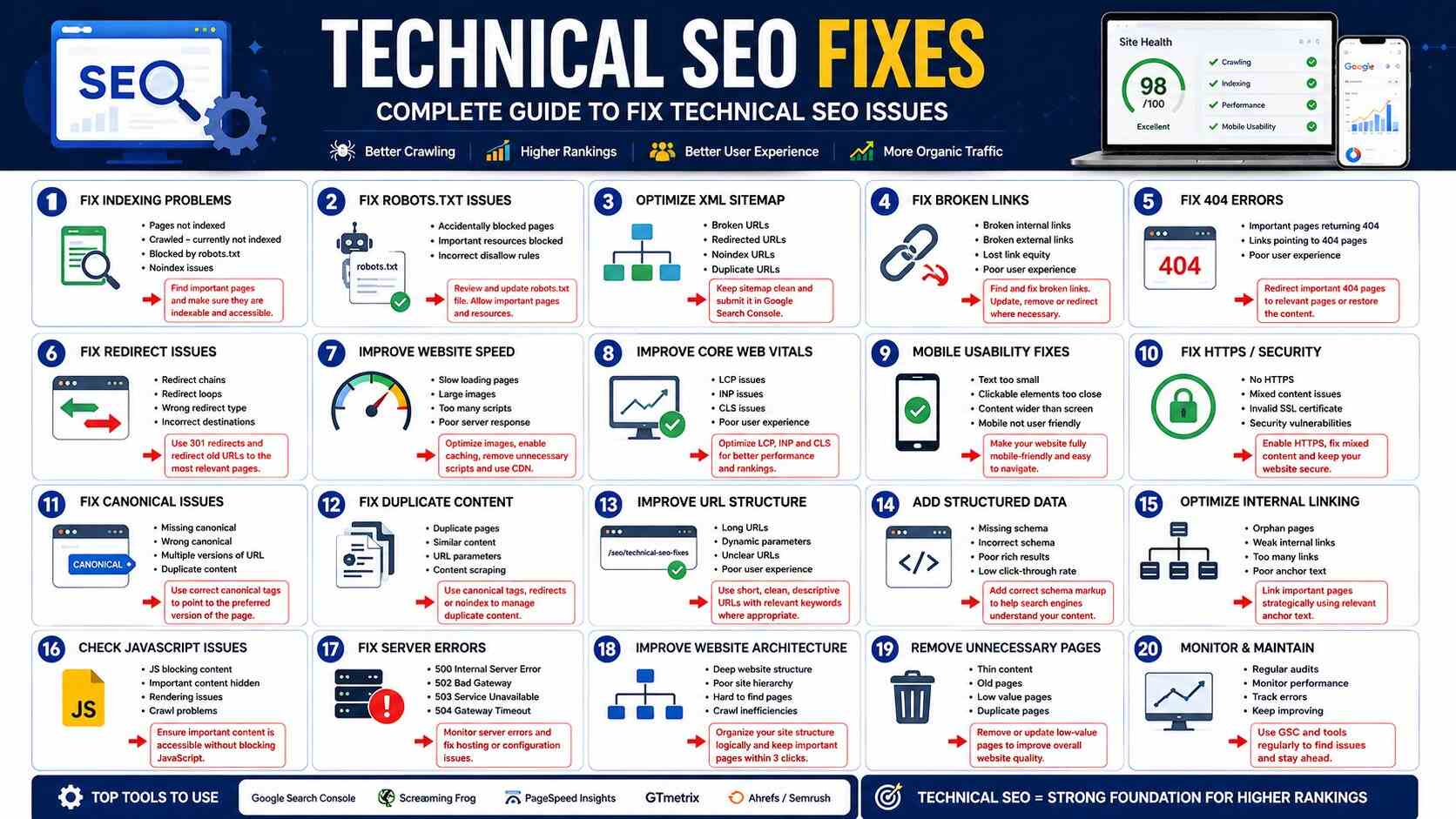
1. Fix Website Indexing Problems
One of the first things to check is whether your important pages are actually indexed.
You can use Google Search Console to inspect individual URLs and identify indexing problems.
Common problems include:
- Page blocked by robots.txt
- Noindex directive
- Server errors
- Duplicate pages
- Redirected URLs
- Pages discovered but not indexed
- Pages crawled but not indexed
How to Fix Indexing Problems
Start by identifying which URLs are important.
Then check:
- Is the page accessible?
- Does it return a successful HTTP status?
- Is it blocked from crawling?
- Does it contain a
noindexdirective? - Does it have the correct canonical URL?
- Is the page linked internally?
- Does it contain useful, original content?
Don’t try to force every URL into Google’s index. Focus on pages that provide genuine value to users.
2. Fix Robots.txt Problems
The robots.txt file tells search-engine crawlers which areas of a website they can or cannot access.
A poorly configured robots.txt file can accidentally prevent search engines from crawling important content.
For example, blocking an important directory could prevent Google from discovering pages or resources needed to understand your website.
Technical SEO Fix
Review your robots.txt file and make sure important pages and resources aren’t accidentally blocked.
Don’t use robots.txt as a way to remove pages from Google’s index. If a page should not appear in search results, other methods may be more appropriate depending on the situation.
3. Optimize Your XML Sitemap
An XML sitemap helps search engines discover important URLs on your website.
Your sitemap should generally contain canonical, indexable URLs that you want search engines to know about.
Check for:
- Broken URLs
- Redirected URLs
- Non-canonical URLs
- Noindex pages
- Duplicate URLs
- Incorrect URLs
After creating or updating your sitemap, submit it through Google Search Console.
4. Fix Broken Links
Broken links lead users and search engines to pages that no longer exist or cannot be accessed.
Common causes include:
- Deleted pages
- Changed URLs
- Incorrect links
- Website migrations
- Outdated content
Use a website crawler to identify broken internal links.
Then:
- Update the link
- Remove unnecessary links
- Redirect the old URL when appropriate
Don’t automatically redirect every broken URL to your homepage. The destination should be relevant to the original page.
5. Fix 404 Errors
A 404 status means that a requested page cannot be found.
Not every 404 is a problem. Deleted pages that have no replacement can legitimately return 404.
Problems occur when important URLs suddenly return 404 errors.
For example, an important service page may disappear after a website redesign.
How to Fix Important 404 Pages
If a relevant replacement exists, implement a suitable 301 redirect.
If there is no replacement, keeping the page as a 404 may be appropriate.
6. Fix Redirect Problems
Redirects are useful when URLs change, but excessive or incorrect redirects can create technical problems.
Watch for:
- Redirect chains
- Redirect loops
- Incorrect destinations
- Temporary redirects where permanent redirects are appropriate
- Multiple redirects between the old and final URL
Whenever possible, redirect an old URL directly to the final relevant destination.
7. Improve Website Speed
Website speed is an important part of user experience.
Slow websites can frustrate visitors and make it harder for them to interact with your content.
Common causes include:
- Large images
- Too many plugins
- Poor hosting
- Excessive JavaScript
- Unoptimized CSS
- Third-party scripts
- Lack of caching
Technical SEO Speed Fixes
Consider:
- Compressing images
- Using modern image formats
- Browser caching
- Server-side caching
- Reducing unnecessary scripts
- Removing unused plugins
- Improving hosting infrastructure
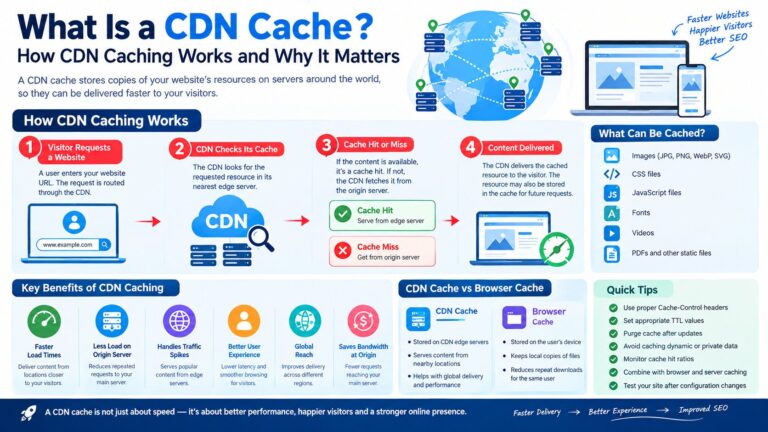
- Using a CDN when appropriate
Don’t optimize speed by removing functionality that users genuinely need. Balance performance with usability.
8. Improve Core Web Vitals
Core Web Vitals measure important aspects of real-world page experience.
The key metrics include:
- Largest Contentful Paint (LCP)
- Interaction to Next Paint (INP)
- Cumulative Layout Shift (CLS)
Improving these metrics can make a website faster, more responsive, and visually stable.
For example, unexpected layout movement can happen when images or advertisements load without reserved space.
Using appropriate image dimensions and reserving space for dynamic elements can reduce layout shifts.
9. Make the Website Mobile Friendly
Google uses the mobile version of websites for indexing.
Your website should work properly across different screen sizes.
Check:
- Text size
- Navigation
- Buttons
- Forms
- Images
- Tables
- Menus
- Page width
A visitor should be able to use the website comfortably without zooming or horizontal scrolling.
10. Fix HTTPS and Security Problems
HTTPS protects communication between users and your website.
Make sure:
- Your SSL certificate is valid
- HTTP redirects to HTTPS correctly
- Internal links use HTTPS
- Images and scripts aren’t loaded insecurely
Also monitor your website for malware, hacking, and other security problems.
A secure website protects both your business and visitors.
11. Fix Canonical URL Problems
Canonical tags help search engines understand which version of a page should be treated as the preferred URL.
Duplicate or near-duplicate URLs can occur because of:
- URL parameters
- Tracking URLs
- HTTP and HTTPS versions
- www and non-www versions
- Category variations
- Duplicate product URLs
Check that important pages have appropriate canonical URLs.
Don’t use canonical tags blindly. The canonical should point to the appropriate preferred version.
12. Fix Duplicate Content
Duplicate content isn’t automatically a penalty, but it can create confusion about which version of a page should be indexed and ranked.
Common causes include:
- Product variations
- Printer-friendly pages
- URL parameters
- Duplicate category pages
- Copied descriptions
Possible solutions include:
- Canonicalization
- Redirects
- Consolidating similar pages
- Improving unique content
- Controlling unnecessary URL variations
13. Improve URL Structure
Good URLs are easy for users and search engines to understand.
For example:
example.com/technical-seo-fixes
is clearer than:
example.com/page?id=12345
Use descriptive URLs where practical.
Avoid unnecessarily changing established URLs because URL changes can create redirects and potentially affect search visibility.
14. Add Structured Data Correctly
Structured data helps search engines understand certain types of content.
Depending on your website, you may use structured data for:
- Products
- Organizations
- Local businesses
- Articles
- Breadcrumbs
- Events
- Videos
Structured data must accurately represent the content visible on the page and follow Google’s guidelines.
Don’t add misleading structured data simply to try to obtain rich results.
15. Fix Internal Linking
Internal links help users navigate your website and help search engines discover related pages.
A strong internal linking structure can connect:
- Service pages
- Blog articles
- Category pages
- Product pages
- Important landing pages
Use descriptive anchor text that helps users understand where the link leads.
Avoid excessive or unnatural internal links.
16. Check JavaScript Rendering
Modern websites may rely heavily on JavaScript.
If important content or links only become available after JavaScript execution, search engines may need to render the page to understand them.
Check whether:
- Main content is accessible
- Important links are discoverable
- Navigation works properly
- Metadata is available
- JavaScript isn’t blocking essential content
JavaScript isn’t automatically bad for SEO, but it needs to be implemented correctly.
17. Fix Server Errors
Server errors can prevent search engines and users from accessing pages.
Common examples include:
- 500 Internal Server Error
- 502 Bad Gateway
- 503 Service Unavailable
- 504 Gateway Timeout
If important pages repeatedly return server errors, investigate:
- Hosting
- Server configuration
- Plugins
- Database problems
- Application errors
- Traffic spikes
Server reliability is an important part of maintaining a healthy website.
18. Improve Website Architecture
A logical website structure helps users and search engines understand the relationship between pages.
For example:
Home → Services → SEO Services → Technical SEO
A good architecture makes important pages easy to reach.
Avoid creating extremely deep structures where important pages are buried several levels below the homepage.
19. Remove Unnecessary Pages
Large websites sometimes accumulate:
- Thin pages
- Duplicate pages
- Old campaign pages
- Empty category pages
- Test pages
- Outdated URLs
Review these pages regularly.
Depending on their value, you may:
- Improve them
- Consolidate them
- Redirect them
- Remove them
Don’t delete pages simply because they receive little traffic. Consider their purpose, backlinks, conversions, and potential value first.
20. Use Google Search Console for Technical SEO
Google Search Console is one of the most useful tools for identifying technical SEO issues.
Regularly check:
- Page indexing
- Sitemaps
- Core Web Vitals
- HTTPS
- Manual actions
- Security issues
- Search performance
Use URL Inspection when you need to investigate an individual page.
Technical SEO Checklist
Use this checklist when auditing a website:
- HTTPS is working correctly
- Website is mobile friendly
- Important pages can be crawled
- Important pages can be indexed
- XML sitemap is available
- Sitemap contains appropriate URLs
- Robots.txt is correctly configured
- Important pages don’t have accidental noindex tags
- Canonical URLs are correct
- Broken internal links are fixed
- Important 404 errors are addressed
- Redirect chains are minimized
- Core Web Vitals are monitored
- Images are optimized
- Structured data is accurate
- Internal linking is logical
- Server errors are monitored
- Website architecture is clear
- Duplicate content is managed
- Old and unnecessary pages are reviewed
Common Technical SEO Mistakes
Some of the most common mistakes include:
Blocking Important Pages
A robots.txt rule or noindex tag can accidentally prevent valuable pages from appearing in search.
Ignoring Mobile SEO
A website that works well on desktop but poorly on mobile can create serious usability problems.
Installing Too Many WordPress Plugins
Every plugin isn’t necessarily bad, but unnecessary plugins can increase complexity, maintenance requirements, and sometimes performance problems.
Changing URLs Without Redirects
Changing URLs without properly handling the old URLs can cause broken links and lost traffic.
Creating Thousands of Low-Value Pages
More pages don’t automatically mean more rankings. Focus on useful pages that serve a genuine purpose.
Ignoring Technical Problems After a Redesign
Website migrations and redesigns can introduce indexing, redirect, canonical, and internal-linking problems.
Always perform a technical SEO check after major website changes.
How Often Should You Perform Technical SEO Fixes?
Technical SEO should be an ongoing process.
A practical schedule is:
Weekly: Check important errors and website availability.
Monthly: Review Search Console, indexing, broken links, and performance.
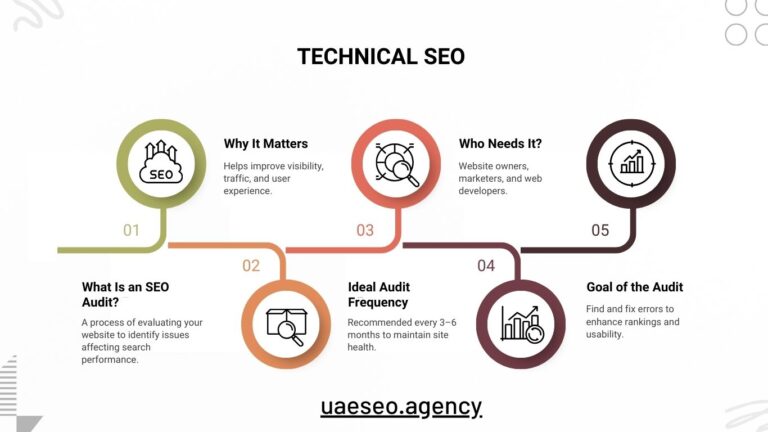
Quarterly: Perform a broader technical SEO audit.
After major changes: Audit immediately after migrations, redesigns, hosting changes, or major WordPress updates.
Frequently Asked Questions
What Are Technical SEO Fixes?
Technical SEO fixes are improvements made to the technical structure and performance of a website to help search engines crawl, understand, and index its content effectively.
What Is the Most Important Technical SEO Issue?
There isn’t one issue that is always the most important. Prioritize problems that prevent important pages from being crawled or indexed, create major usability problems, or make essential content inaccessible.
Can Technical SEO Improve Google Rankings?
Technical SEO can help search engines access and understand your website and can improve user experience. However, technical SEO alone doesn’t guarantee higher rankings. Content quality, relevance, authority, competition, and many other factors also matter.
How Do I Find Technical SEO Problems?
Google Search Console, website crawlers, performance tools, server logs, and manual website checks can all help identify technical SEO problems.
Is Technical SEO Important for WordPress Websites?
Yes. WordPress websites can develop technical problems involving plugins, themes, redirects, indexing, performance, duplicate URLs, and other areas. Regular technical SEO checks help identify and fix these issues.
How Long Does Technical SEO Take to Fix?
It depends on the problem. A simple broken link can take minutes to fix, while a large website migration, JavaScript issue, or server problem may require considerably more development work.
Final Thoughts
Technical SEO provides the foundation on which your website’s content and SEO strategy can succeed. Even excellent articles and high-quality backlinks can underperform when search engines cannot properly crawl, render, or index your website.
Start with the fundamentals: make sure important pages are accessible, your website uses HTTPS, your sitemap is healthy, redirects work correctly, mobile pages function properly, and your site delivers a good user experience.
Then move into deeper areas such as Core Web Vitals, canonicalization, structured data, JavaScript rendering, website architecture, and crawl management.
For businesses using WordPress or targeting customers in Dubai and across the UAE, regular technical SEO audits can help identify problems before they become major search-visibility issues. The best approach is not to chase every technical metric but to prioritize fixes that make your website easier for search engines to understand and easier for real users to use.