Best Web Hosting for WordPress: How to Choose the Right Hosting in 2026
Choosing the best web hosting for WordPress is one of the most important decisions when building a website. Your hosting provider affects website speed, security, uptime, loading time, backups, and the overall experience visitors have when browsing your pages.
For businesses, bloggers, agencies, and website owners in the UAE, the right hosting choice can also influence how well a website performs for visitors in Dubai, Abu Dhabi, Sharjah, and other locations.
There is no single hosting provider that is best for every WordPress website. A personal blog has different requirements from a business website, an online store, or a high-traffic publishing platform.
This guide on UAESeo.agency explains the main hosting options, what to look for, how to compare providers, and how to choose WordPress hosting that suits your website and budget.
What Is WordPress Hosting?
WordPress hosting is a web hosting service configured to run websites built with WordPress. It provides the server resources and software needed to store your website files, database, images, themes, plugins, and other content.
When someone visits your website, the hosting server processes the request and delivers the relevant pages to their browser.
Most standard web hosting plans can run WordPress if they meet its technical requirements. However, some hosting providers offer WordPress-specific features such as:
- One-click WordPress installation
- Automatic WordPress updates
- Server-level caching
- WordPress security tools
- Website staging
- Automatic backups
- WordPress migration assistance
- Specialist technical support
These features can make website management easier, especially if you do not have technical experience.
What Makes the Best Web Hosting for WordPress?
The best WordPress hosting is not necessarily the cheapest or the provider with the most features. It is the service that offers enough performance, security, support, and resources for your website.
Before purchasing a plan, compare these important factors.
1. Website Speed and Performance
Website speed affects how visitors experience your pages. Slow websites can frustrate users, increase abandonment, and make it harder for visitors to complete actions such as submitting a contact form or purchasing a product.
Your hosting server is one part of website performance. Other factors include your WordPress theme, plugins, image sizes, caching configuration, database, and content delivery network.
Look for hosting that offers:
- Modern server hardware
- Adequate CPU and memory resources
- Fast storage, preferably NVMe SSD where available
- Server-side caching
- Current PHP versions
- Reliable database performance
Do not rely only on a hosting company’s advertised speed claims. If possible, review independent tests that explain the testing location, website configuration, and measurement period.
2. Uptime and Reliability
Uptime refers to the amount of time a website remains accessible. If your hosting server frequently becomes unavailable, visitors may not be able to access your pages.
Many hosting providers advertise uptime commitments such as 99.9%. However, read the service agreement to understand what the guarantee covers, how downtime is measured, and whether compensation is available.
For a business website, ask whether the provider has server monitoring, incident notifications, and a clear support process.
3. Security Features
WordPress websites need regular security maintenance. Hosting can help protect the server environment, but no hosting plan can guarantee that a website will never be compromised.
Useful hosting security features include:
- Free SSL certificates
- Server firewalls
- Malware scanning
- DDoS protection
- Account isolation
- Secure server configurations
- Automatic backups
- Support for current PHP versions
You should also keep WordPress core, themes, and plugins updated. Use strong passwords, enable two-factor authentication where possible, and remove plugins and themes that you no longer need.
4. Automatic Backups and Website Restoration
Backups are essential because websites can experience accidental deletion, failed updates, malware infections, or database problems.
Before buying hosting, check:
- How frequently backups are created
- How long backup copies are retained
- Whether files and databases are both included
- Whether restoration is included or costs extra
- Whether you can download your own backup
- Whether backups are stored separately from the main server
A backup feature is only useful if you can restore the website successfully. Keep an independent copy of important website files and databases as an additional precaution.
5. Customer Support
Technical problems can happen even when you use a reliable hosting provider. Good support can help you resolve server errors, email issues, database problems, SSL configuration, and migration questions.
Check whether support is available through live chat, tickets, or telephone. Also find out whether the support team assists with WordPress-specific issues or only server-related problems.
If your website generates business enquiries or online sales, support availability and response procedures deserve particular attention.
6. Scalability
Your hosting needs may change as your website grows. A small blog may work well on shared hosting, but a busy online store may eventually need more CPU, memory, or database capacity.
Choose a provider that offers a clear upgrade path. Moving from shared hosting to managed WordPress hosting, VPS hosting, or cloud hosting should be possible without rebuilding your entire website.
Types of WordPress Hosting
Understanding hosting types makes it easier to choose a suitable plan.
Shared Hosting
Shared hosting places multiple websites on the same physical server. The websites share server resources, although providers may apply account limits and isolation measures.
Advantages:
- Usually affordable
- Beginner-friendly
- Simple control panels
- Suitable for small websites
- Often includes one-click WordPress installation
Limitations:
- Resource limits can affect performance
- Less control over server configuration
- Busy websites may need an upgrade
- Some plans have restrictions on CPU, memory, or processes
Shared hosting is a reasonable starting point for a new blog, portfolio, or small business website with modest traffic.
Managed WordPress Hosting
Managed WordPress hosting is designed specifically for WordPress websites. The provider handles more of the technical hosting environment and may include automatic updates, backups, staging, caching, and WordPress-focused support.
Advantages:
- WordPress-focused management
- Convenient maintenance features
- Staging environments on eligible plans
- Specialist support may be available
- Useful performance and security tools
Limitations:
- Usually costs more than basic shared hosting
- Some plugins or server configurations may be restricted
- Plans may limit visits, storage, or bandwidth
Managed hosting can be a good option for businesses that prefer to spend less time managing server operations.
VPS Hosting
A Virtual Private Server (VPS) provides a virtual server environment with allocated resources. It offers more control than typical shared hosting.
Advantages:
- More control over server settings
- Allocated resources
- Flexible configurations
- Suitable for growing websites and technical users
Limitations:
- Requires more server administration
- May need command-line knowledge
- Security and maintenance responsibilities can be greater
- Managed VPS plans may cost more
VPS hosting is suitable for websites that have outgrown basic shared hosting or need specific server configurations.
Cloud Hosting
Cloud hosting uses a cloud infrastructure to provide computing resources. Depending on the provider and plan, resources can be scaled or distributed across infrastructure.
Advantages:
- Flexible resource options
- Suitable for changing workloads
- Multiple configuration choices
- Can support growing websites
Limitations:
- Pricing can be more complex
- Some services require technical knowledge
- Resource usage may affect monthly costs
Cloud hosting can be useful for growing businesses, online stores, and websites with variable traffic.
Popular WordPress Hosting Providers to Compare
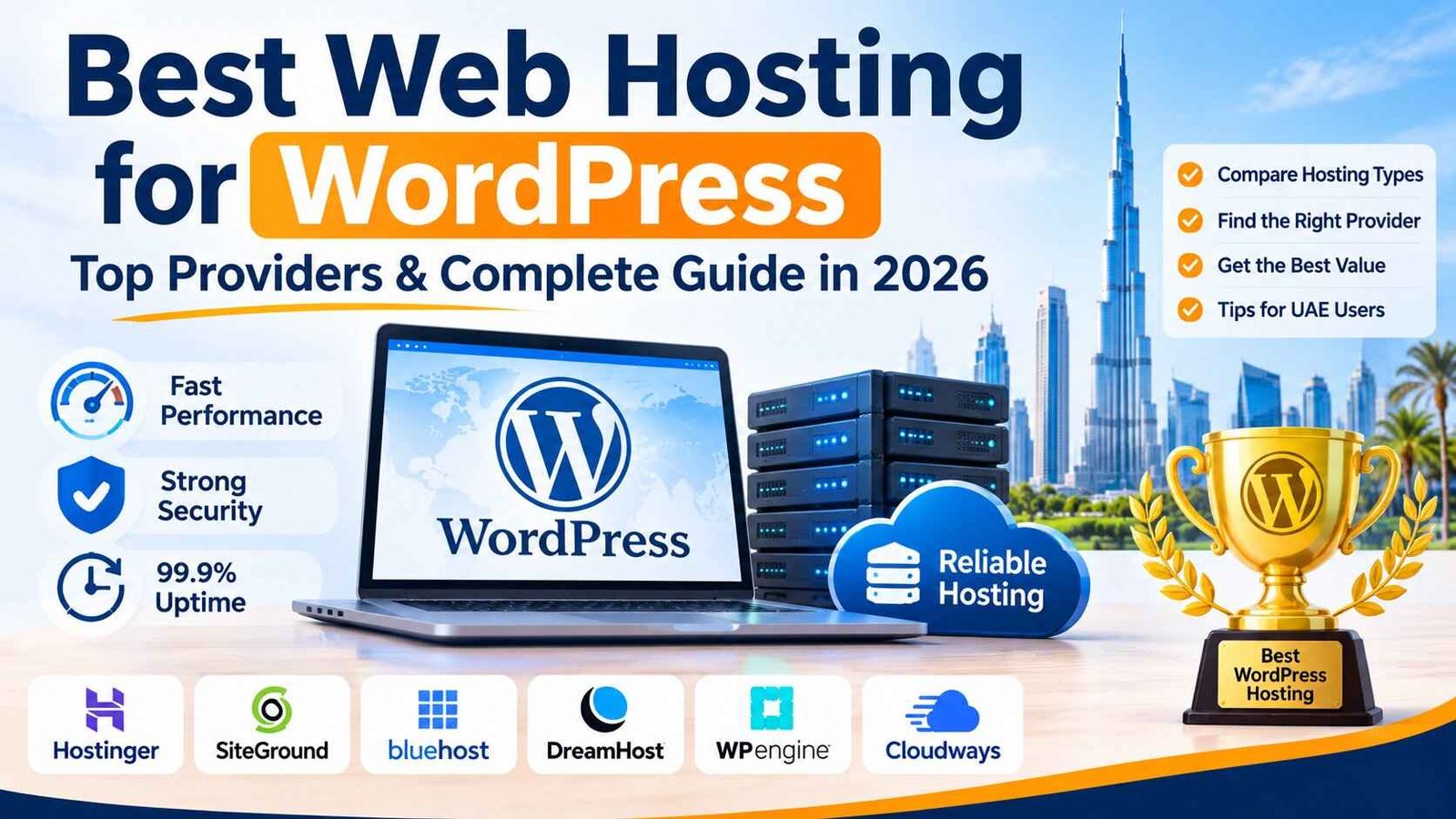
Several established hosting companies offer services suitable for WordPress. The right choice depends on your budget, technical needs, location, and the specific plan you select.
The following providers are examples to compare, not a universal ranking. Features, prices, data-centre locations, and plan conditions can change, so check the provider’s current offer before purchasing.
Hostinger
Hostinger offers shared, cloud, and WordPress-focused hosting plans. It is worth comparing if you are starting a blog, small business website, or a project where the initial hosting budget matters.
Before choosing a plan, check the renewal price, backup frequency, website limits, storage, and support conditions.
SiteGround
SiteGround offers managed WordPress hosting features and tools for website management. It may be worth considering for small businesses and website owners who value managed features and support.
Compare storage limits, renewal pricing, backup policies, and the resources included in each plan.
Bluehost
Bluehost provides hosting plans aimed at website owners and WordPress beginners. Its guided setup and WordPress-related tools may appeal to people launching their first website.
Check the exact plan details, renewal costs, backup arrangements, and included email services before making a decision.
DreamHost
DreamHost offers WordPress hosting options, including managed services. It is another provider to consider when comparing website management features, plan limits, and support.
Review the current terms for backups, storage, traffic policies, and migration assistance.
WP Engine
WP Engine focuses on managed WordPress hosting. It is generally more relevant to businesses and publishers that need a managed WordPress environment rather than the lowest-cost hosting plan.
Compare visit allowances, storage, included features, plugin restrictions, and overage conditions.
Cloudways
Cloudways provides managed cloud hosting options that allow customers to deploy websites on supported cloud infrastructure providers. It may suit users who want more flexibility than traditional shared hosting but do not want to manage every server task themselves.
Check the underlying cloud provider, server location, backup charges, support level, and total monthly cost.
Best WordPress Hosting for Different Website Types
The best hosting option depends on what you are building.
| Website type | Hosting to consider | Why |
|---|---|---|
| Personal blog | Shared hosting | Affordable starting point |
| Small business website | Shared or managed WordPress | Depends on traffic and support needs |
| Professional agency website | Managed WordPress or VPS | More room for performance and management |
| WooCommerce store | Managed WordPress, cloud, or VPS | More demanding database and checkout activity |
| High-traffic website | Managed cloud or VPS | Greater resource and scaling options |
| Developer project | VPS or cloud hosting | More server control |
These are starting points rather than fixed rules. A well-configured shared plan may be enough for a small website, while a poorly configured high-end server can still perform badly.
WordPress Hosting Requirements in 2026
Before buying a hosting plan, check that it supports the current WordPress software recommendations.
WordPress.org currently recommends:
- PHP 8.3 or greater
- MariaDB 10.11 or greater, or MySQL 8.4 or greater
- HTTPS support
Apache or Nginx is also recommended as a robust web-server option. WordPress may run on older software versions, but outdated components can create security and compatibility risks. Check the current official requirements before installing WordPress.
A hosting plan should also provide enough memory and processing capacity for your theme, plugins, traffic, and website functionality. WooCommerce stores and websites using page builders or resource-intensive plugins may need more resources than a simple blog.
What Should UAE Website Owners Consider?
If your target audience is in the UAE, hosting location and network performance are worth checking.
Choose a Suitable Server Location
A server located closer to your main audience can sometimes reduce network latency. However, server location is only one factor. Routing, server configuration, caching, and content delivery networks also affect loading time.
If most visitors are in the UAE, compare providers that offer suitable Middle East data-centre locations or a CDN with coverage in the region.
Do not assume that a provider has a UAE server simply because it advertises services in the UAE. Confirm the actual data-centre location for the plan you intend to purchase.
Check Payment and Billing Options
Compare the available payment methods, billing currency, VAT treatment where applicable, and renewal charges. Some international providers advertise introductory prices that apply only to long-term first purchases.
Calculate the total cost over at least two years rather than choosing a plan based only on its first-month price.
Consider Business Email
Some hosting plans include email accounts, while others sell email separately or do not provide email hosting at all.
If you need professional addresses such as info@yourdomain.com, check the number of mailboxes, storage limits, sending restrictions, spam protection, and migration options.
Review Support Availability
If your business website is important to daily operations, check the support hours and available contact channels. Confirm whether support can help with WordPress installation, migration, SSL, backups, and server errors.
How to Choose WordPress Hosting: A Step-by-Step Checklist
Use this checklist before purchasing a hosting plan.
Step 1: Identify your website type
Decide whether you are creating a blog, company website, portfolio, news site, or online store. Each type has different resource requirements.
Step 2: Estimate your expected traffic
A new website with a few hundred monthly visitors may not need the same plan as a popular online store. Start with a suitable plan and upgrade when actual resource usage justifies it.
Step 3: Check WordPress compatibility
Confirm the supported PHP version, database version, HTTPS, and server configuration.
Step 4: Compare performance features
Look for suitable storage, caching, resource allocations, and data-centre locations. Avoid relying on vague claims such as unlimited speed.
Step 5: Review backups and security
Check backup frequency, retention, restoration fees, SSL, malware protection, and account isolation.
Step 6: Calculate the real price
Compare the introductory price with the renewal price. Include domain renewals, email, backups, migrations, and optional add-ons.
Step 7: Check the upgrade path
Make sure you can move to a higher plan or another hosting type as your website grows.
Step 8: Read the terms
Review resource limits, traffic policies, refund conditions, support scope, and restrictions before paying.
Common WordPress Hosting Mistakes to Avoid
Choosing Only by Price
The cheapest plan may have limited resources, fewer backups, or expensive renewal terms. Compare the complete service rather than the headline price.
Ignoring Renewal Costs
Introductory offers can be significantly lower than renewal prices. Check what you will pay after the first billing period.
Assuming Unlimited Means Unlimited
Terms such as unlimited bandwidth or storage are usually subject to acceptable-use policies and technical restrictions. Read the provider’s resource policy.
Not Checking Backup Restoration
Do not assume that a backup is automatically easy to restore. Understand the restoration process and maintain an independent backup.
Buying More Resources Than You Need
A new blog does not necessarily need an expensive VPS or dedicated server. Start with a suitable plan and upgrade when your traffic or technical requirements increase.
Ignoring Website Optimisation
A powerful hosting plan cannot fix every performance issue. Oversized images, excessive plugins, inefficient themes, and poor caching can slow down WordPress websites.
Does Web Hosting Affect WordPress SEO?
Hosting can influence factors related to website performance and reliability, but it does not guarantee higher search rankings.
A reliable hosting service can help keep pages accessible and support good loading performance. These factors contribute to a better user experience.
However, SEO also depends on content quality, search intent, technical accessibility, internal linking, mobile usability, structured data where appropriate, and many other factors.
For a stronger WordPress SEO setup:
- Use a reliable hosting provider.
- Enable HTTPS.
- Keep WordPress and plugins updated.
- Compress and resize images.
- Configure caching.
- Use a CDN when appropriate.
- Monitor Core Web Vitals.
- Fix broken links and crawl issues.
- Publish useful content that answers searchers’ questions.
Hosting is one part of a complete SEO strategy, not a replacement for it.
Final Verdict: Which Is the Best Web Hosting for WordPress?
The best web hosting for WordPress depends on your website’s size, budget, traffic, and technical requirements.
For a new blog or small website, shared hosting can be a practical starting point. For businesses that want less technical maintenance, managed WordPress hosting may be more convenient. Growing websites may benefit from VPS or cloud hosting when they need additional resources and control.
Before making a purchase, compare performance, security, backups, support, server location, renewal pricing, and resource limits. Choose a provider that meets your current needs and gives you room to grow.
For UAE website owners, it is particularly useful to check regional server availability, CDN coverage, billing terms, and support access. A carefully selected hosting plan can provide a dependable foundation for your WordPress website.
Frequently Asked Questions
1. Which is the best web hosting for WordPress?
There is no single best provider for every website. Compare companies such as Hostinger, SiteGround, Bluehost, DreamHost, WP Engine, and Cloudways based on your budget, performance needs, support, backups, and plan limitations.
2. Is shared hosting good for WordPress?
Yes. Shared hosting can work well for new blogs, portfolios, and small business websites. However, check the resource limits and upgrade options if your website grows.
3. Is managed WordPress hosting worth it?
Managed WordPress hosting can be worthwhile if you want features such as automatic backups, staging, WordPress-focused support, and server-level optimisation. It generally costs more than basic shared hosting.
4. How much hosting does a WordPress website need?
The required resources depend on traffic, plugins, theme complexity, database activity, and website functionality. A simple blog needs less capacity than a busy WooCommerce store. Review actual resource usage rather than relying on a universal visitor estimate.
5. Does WordPress hosting include a domain name?
Some hosting plans include a domain for an introductory period, while others require you to purchase it separately. Check renewal charges and domain ownership terms before ordering.
6. Can I host a WordPress website in the UAE?
Yes. You can choose a hosting provider with a suitable UAE or nearby regional data centre, or use an international hosting service with CDN coverage for UAE visitors. Confirm the actual server location and network options with the provider.
7. Is free hosting good for WordPress?
Free hosting may be useful for testing or learning, but it often has restrictions on storage, performance, support, security, and customisation. For a professional business website, paid hosting is generally a more practical choice.
8. Does better hosting improve Google rankings?
Better hosting can support website availability and performance, which contribute to user experience. However, hosting alone does not guarantee higher rankings. Content quality, technical SEO, relevance, and many other factors matter.
9. Can I change my WordPress hosting provider later?
Yes. You can migrate your WordPress files and database to another provider. Many hosts offer migration tools or assistance. Always create and verify a full backup before starting a migration.
10. Should I choose hosting with a UAE server?
If most of your visitors are in the UAE, a nearby server location may help reduce latency. A CDN can also improve content delivery. Compare real performance, routing, and support rather than choosing based on location alone.